P Provato Log-first tracker for repeat experiences See pricing

iPhone tracker app

Track places, products, events, and routines with one log at a time.

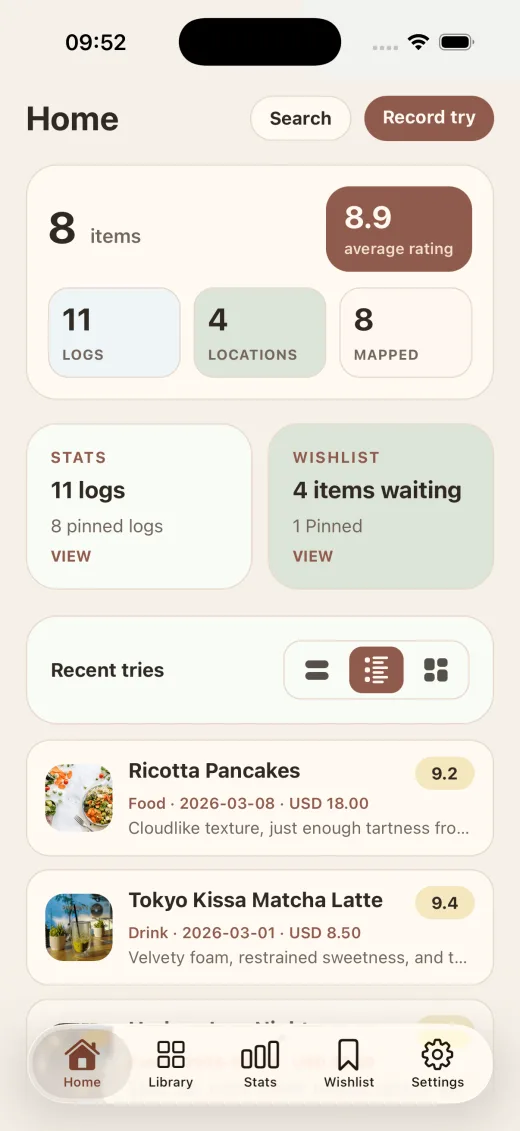
Provato is a log-first iPhone app for things you tried or want to try. Save a rating, note, date, photo, and location once, and the app turns that experience into a searchable history you can revisit later.

Updated by the Provato product team.

  • Track tried and want-to-try items in one app
  • Collections grow automatically from logs
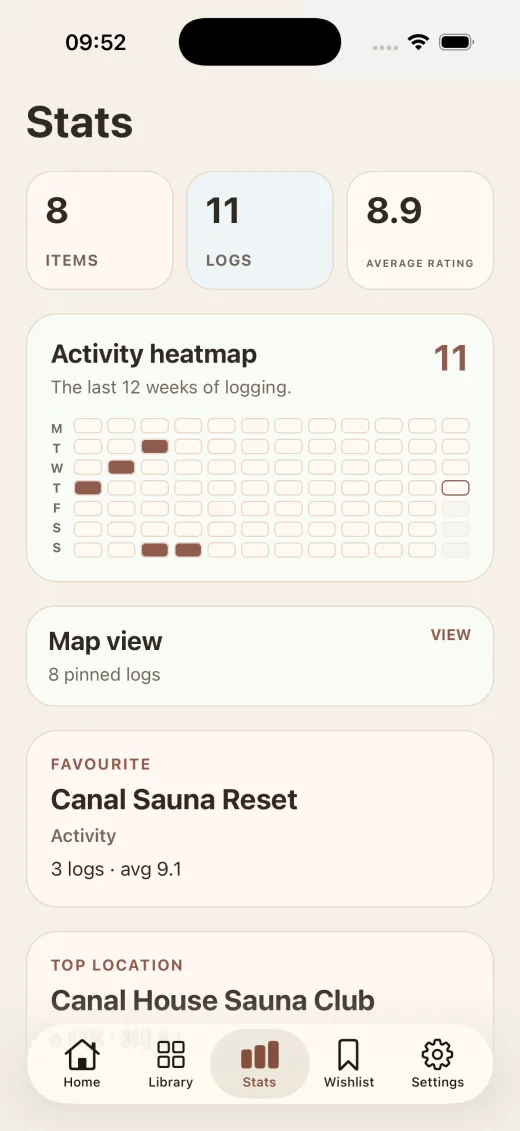
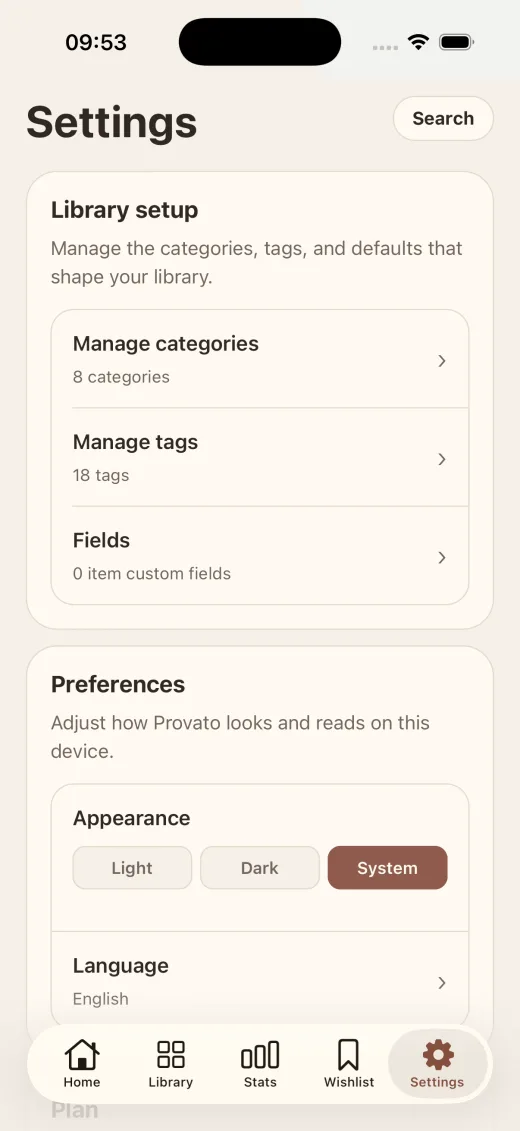
  • Custom fields and filters stay optional until you need depth
Today History

Blue Bottle Seoul Latte

March 3 · 4.6
tried

Harbor Jazz Night

February 24 · 4.4
4.4

Ceramic Glaze Workshop

queued
want to try
Home Items History Wishlist Settings

Definition

What is Provato?

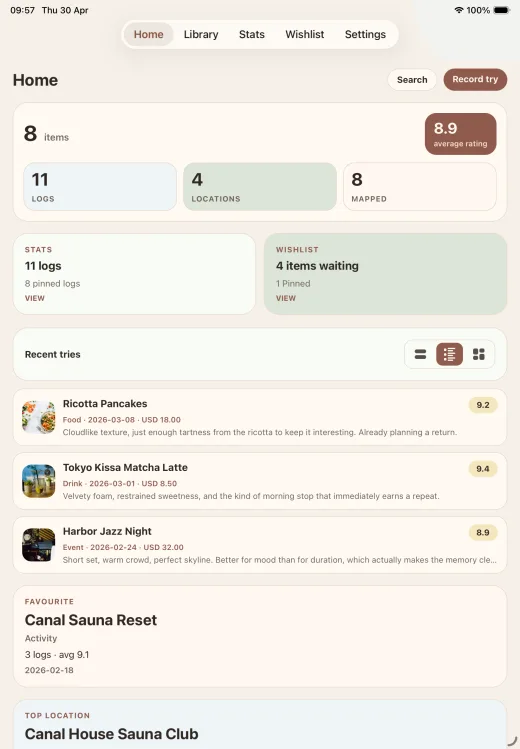
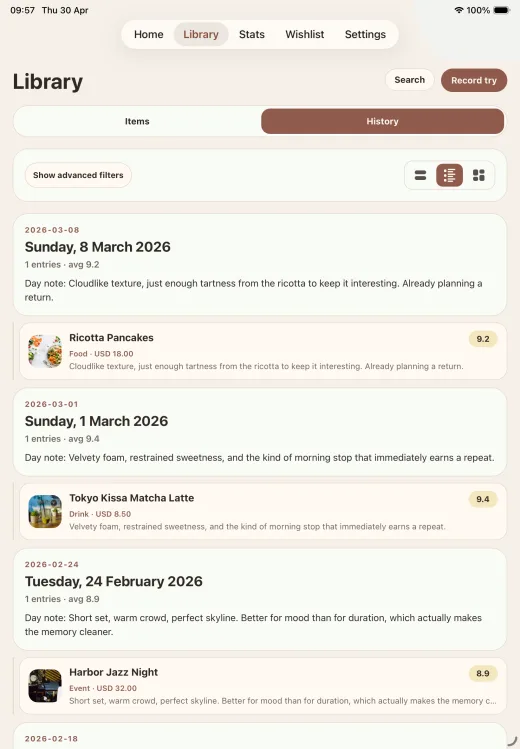
Provato is an iPhone app for tracking places, products, events, and routines through logs. Instead of asking you to create folders first, it starts with a real experience and turns that entry into a timeline with ratings, notes, dates, locations, photos, tags, and custom fields.

Who it is for

Built for people who revisit things and want context, not just names.

Provato works well for anyone who wants to remember how something felt, changed, or compared over time.

What it tracks

One app for tried items, wishlists, and repeat experiences.

You can keep backlog planning and real-world history in the same workflow instead of splitting them across separate lists.

What it stores

Ratings, notes, dates, locations, photos, tags, and custom fields.

Capture quickly on day one, then add structure later as your personal database becomes more useful.

Why it is different

Provato starts from a log, not an empty collection.

The product is designed around real moments first, so your timeline grows naturally instead of feeling like setup work.

How it works

How does Provato work?

Provato uses a three-step workflow: log the thing you tried, let the app create or enrich the related item automatically, and review patterns later with filters and history. The goal is to keep capture fast on day one and richer over time.

01

Log the experience while it is fresh.

Save the name, rating, note, date, and any optional photo or location in under a minute.

02

Let Provato turn that log into a reusable item timeline.

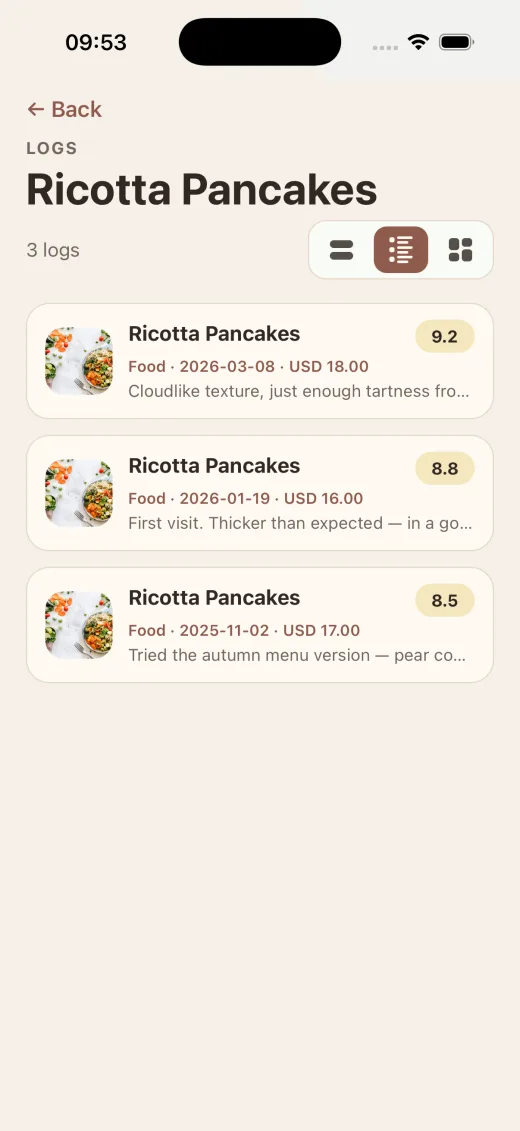
The app creates or updates the related collection automatically, so repeat visits stay connected.

03

Use filters, tags, and fields when your history gets deeper.

Provato starts light, then grows into a structured tracker once your data is worth exploring.

Use cases

What can you track in Provato?

You can use Provato as a restaurant tracker, coffee log, product diary, event memory tracker, or routine history app. Every use case relies on the same structure: one item, many logs, and one place to compare repeat experiences.

Restaurants and coffee shops

Remember what you ordered, how it tasted, where you were, and whether it deserves a return visit.

Products and personal buys

Track skincare, stationery, wine, gear, or any product you compare across repeat purchases.

Events, classes, and workshops

Keep concerts, exhibitions, workshops, and classes in one timeline with ratings, notes, and dates.

Routines and repeat practices

Log sauna visits, workout classes, tasting sessions, or rituals where patterns only become visible after several entries.

Structured details

Each log can hold the facts people usually forget later.

Provato is designed for later recall, not just quick capture, so every repeat experience can stay comparable.

  • Ratings and notes for every experience
  • Dates, locations, and optional coordinates
  • Photos when visual context matters
  • Tags and custom fields for deeper filtering

Why it stays simple

The app gets more detailed only when your collection gets deeper.

  • Start from one log instead of an empty database
  • Keep tried and want-to-try in one workflow
  • Compare repeated visits over time
  • Use filters once your history earns them

Comparison

Why use a log-first tracker instead of a list-first app?

Generic note apps store one latest version of a thing. Provato stores each experience as its own log, which makes repeated visits, rating changes, and want-to-try planning easier to understand later.

Provato compared with a generic list-first note app
Question Provato Generic list app
How do you start? Save one real experience first and let the item form around it. Create a list, collection, or note before the first experience happens.
How are repeat visits handled? Each visit becomes another log inside the same timeline. The latest note often replaces or buries the previous one.
What about wishlists? Tried and want-to-try items use the same product model. Wishlists and history usually live in separate lists or apps.
How much detail can you keep? Ratings, notes, dates, locations, photos, tags, and custom fields. Mostly freeform text unless you build your own structure.
How do you find patterns later? Filters grow with your data and stay tied to structured fields. Retrieval depends on search and how consistently you named things.

Pricing

Simple pricing for a personal tracker.

Provato includes a free plan with up to three collections and unlimited logs inside those collections. Provato Plus removes the collection limit through a one-time purchase, which keeps pricing simpler than a recurring subscription.

Free

Start the habit

  • Up to 3 collections
  • Unlimited logs inside those collections
  • Tried and want-to-try workflows included

Provato Plus

Unlock full usage

  • Unlimited collections
  • One-time purchase
  • Same history, filters, and calm workflow

FAQ

Frequently asked questions about Provato

These answers cover the main questions people ask before trying Provato, including what the app tracks, how repeat visits work, whether it supports wishlists, and how pricing works.

What is Provato used for?

Provato is used to track places, products, events, and routines you tried or want to try. It is designed for people who revisit things over time and want a clear history of ratings, notes, dates, locations, photos, and custom details.

Can I track both things I tried and things I want to try?

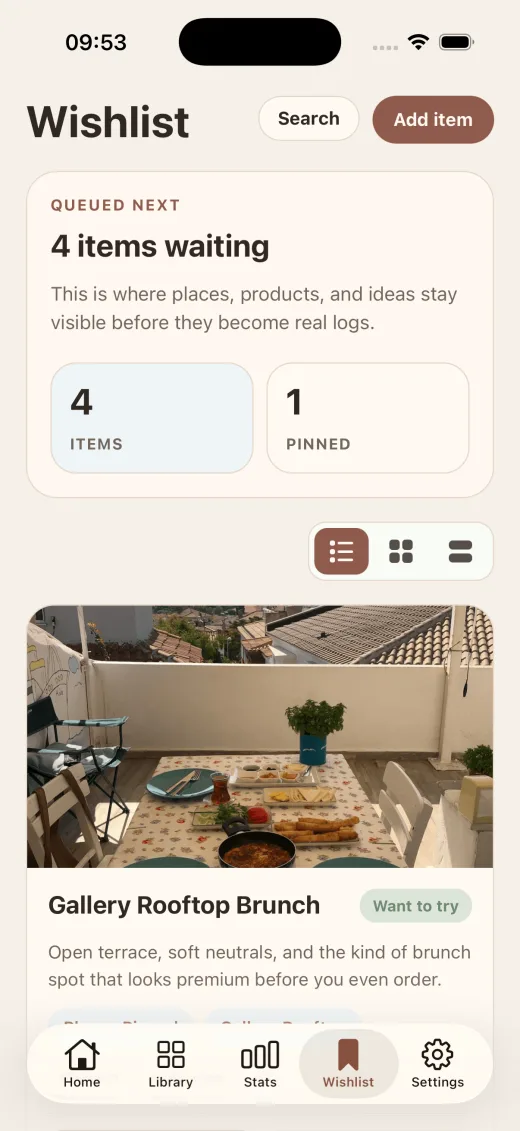
Yes. Provato keeps tried items and want-to-try items in the same workflow, so a wishlist entry can later become a logged experience without forcing you to rebuild the item from scratch.

Is Provato only for food and coffee?

No. Provato works for restaurants and coffee shops, but it also works for products, events, classes, wellness routines, and other repeatable experiences. The app is built around logs and timelines rather than one narrow category.

How does Provato organize repeated visits or repeated use?

Each new log adds to the same item timeline, so repeat visits stay connected instead of replacing the previous note. That makes it easier to compare ratings, remember context, and spot patterns over time.

Is Provato free?

Provato has a free plan that supports up to three collections with unlimited logs inside those collections. Provato Plus removes the collection limit with a one-time purchase instead of a recurring subscription.

Does Provato support custom fields and filters?

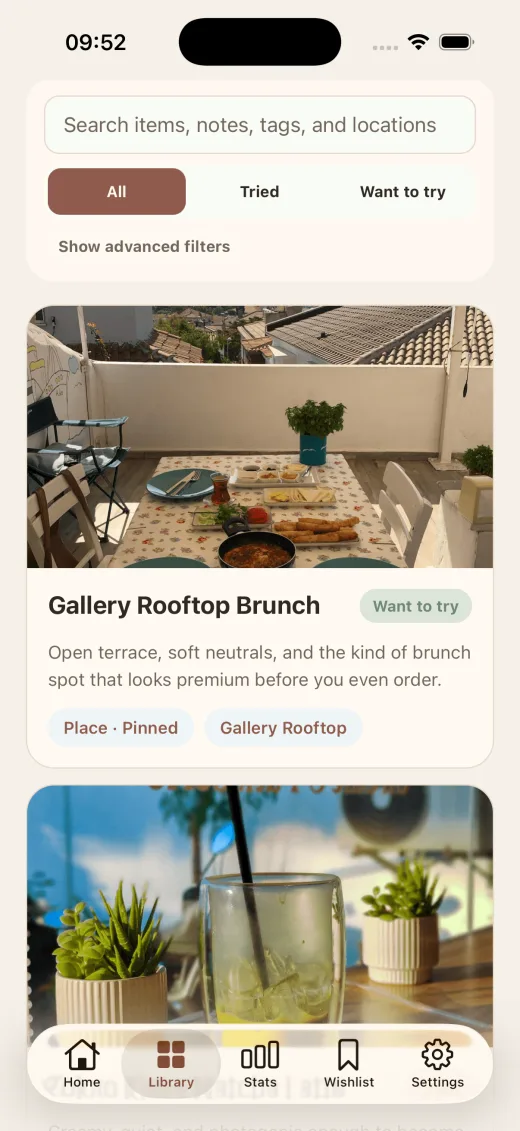
Yes. Provato supports custom fields, tags, filters, dates, ratings, notes, photos, and location data, so you can keep capture lightweight at first and make the database more structured later.

Ready

Start with one log, then let the timeline build itself.